.svg)


Version Objective
To empower structural engineers to deliver complete, accurate, and reliable structural schemes with greater confidence and speed. We achieve this by putting the crucial information you need right at your fingertips and streamlining every interaction within the editing environment.
Optimized the Structural Design Editing Module
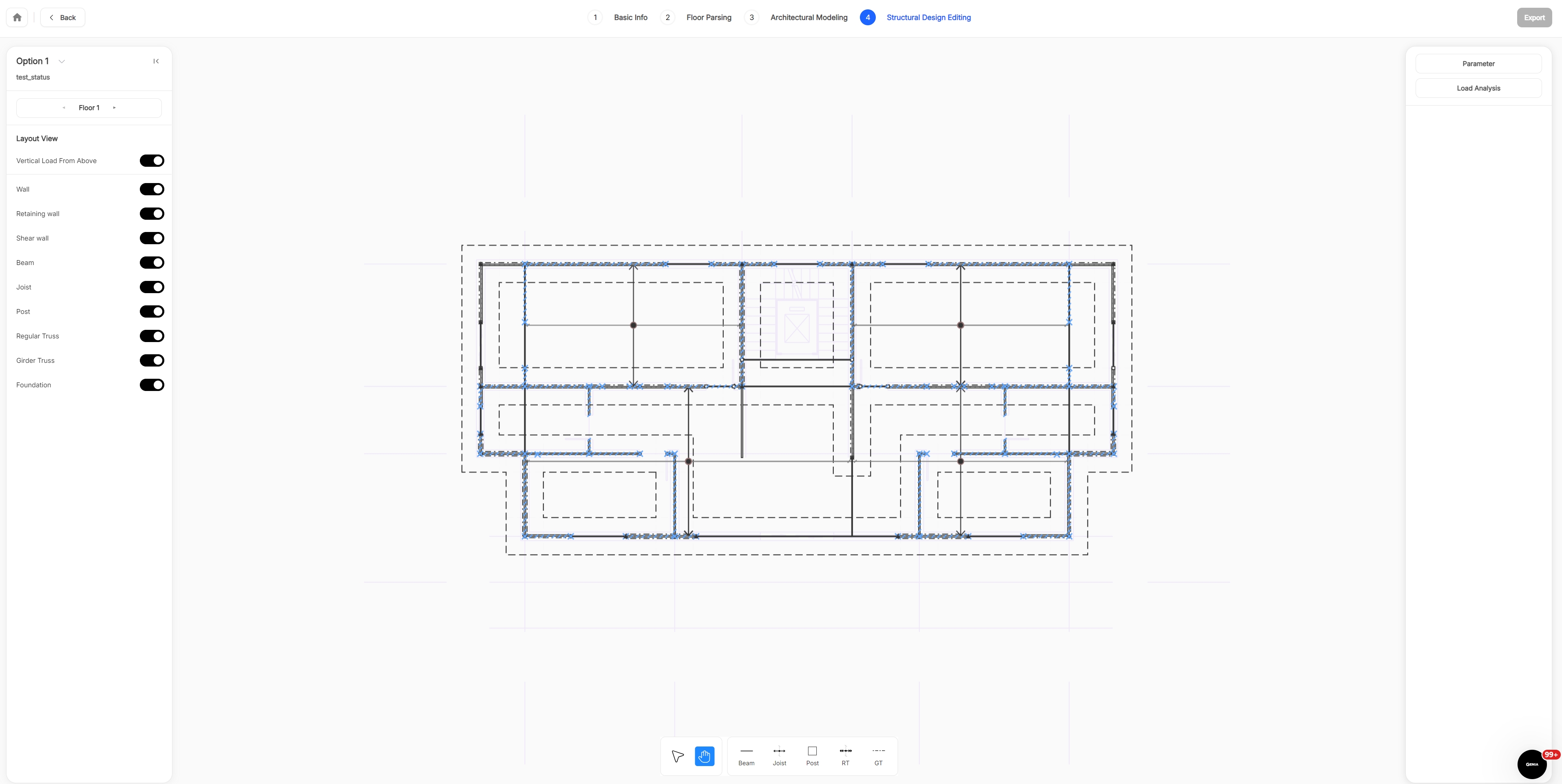
Every update to this page serves the core goal above. To achieve it, we have completely rebuilt the editing interface around a new, logical layout:
- The left panel provides quick filters to focus on the data you need.
- The bottom area houses the element palette for rapid selection.
- The right panel consolidates load-related information and detailed element properties.
We’ve also introduced key features to support validation and editing:
- Load Information Display: Visualize critical load data to verify the overall force distribution and correctness of the structural model.
- Architectural Underlay: Overlay the building plan to quickly cross-check spatial and alignment relationships between architectural and structural elements.
- Vertical Load from Above: Visualize how vertical loads are transferred from upper floors, enabling fast validation of load paths and the continuity of structural members.
- Element‑based Layers: Toggle between dedicated layers for different element types to isolate, inspect, and edit with clarity.
- Quick Material Preview: Hover over any element to instantly view its material properties, helping you quickly identify components that require deeper inspection or adjustment.
Enhanced Performance & Reliability
Alongside the visual overhaul, we’ve optimized performance across the platform for a consistently smooth experience. Several minor issues have also been resolved, improving overall stability and responsiveness.